🚀 New Feature: Production & Decoration Department Capacity Tracking!
We’re excited to announce a major upgrade to your dashboard and production scheduling: Department-Level Capacity Tracking is now live across the platform!
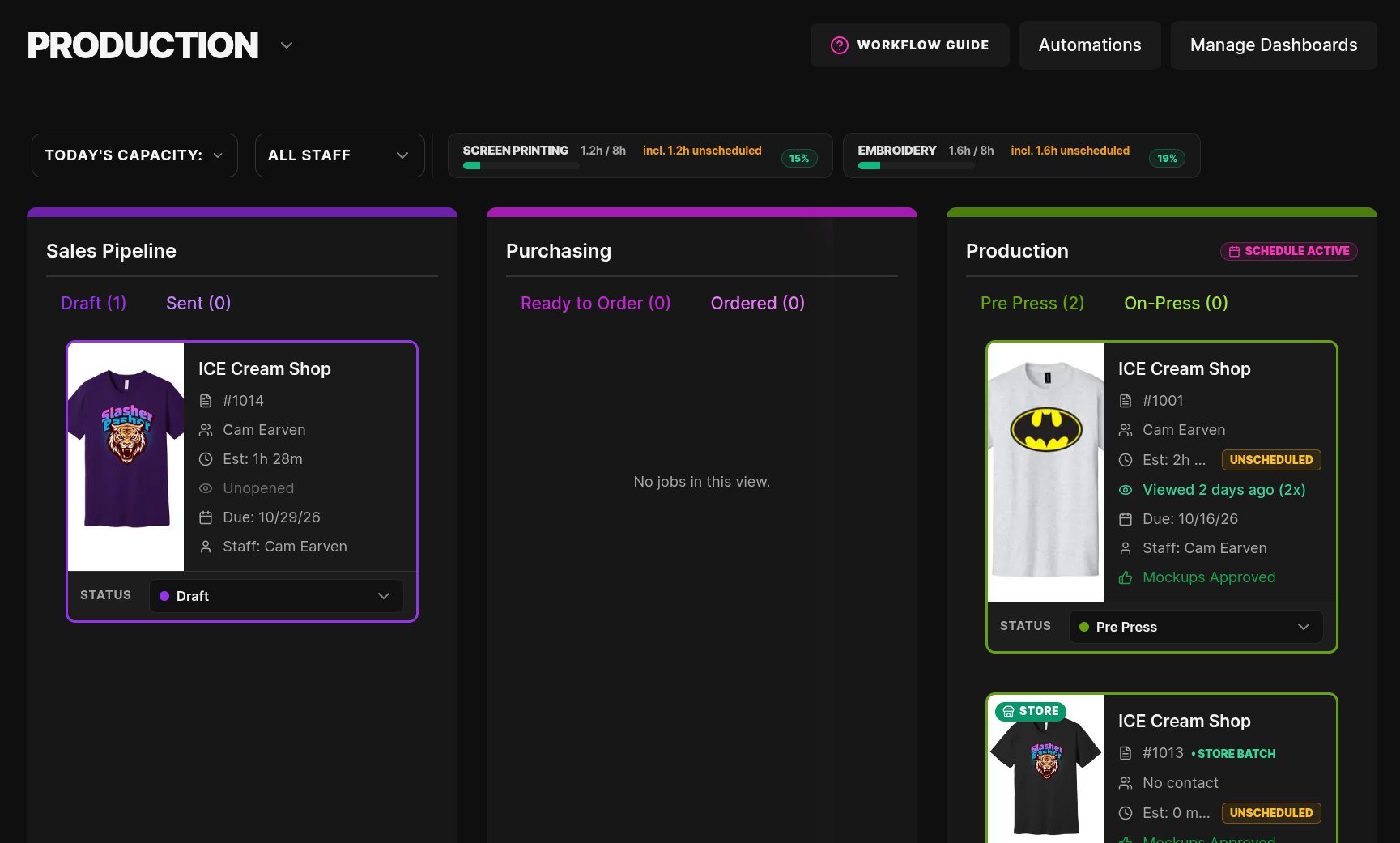
Now you can see your live production load, spot bottlenecks before they happen, and know exactly how many hours of work are committed to your shop floor in real time.
⚡ How It Works (Out of the Box)
You don't have to change a single setting to start using this today.
- Automatic Method Grouping: By default, your shop floor capacity automatically organizes by standard decoration method. If you have three different screen printing matrices, they automatically roll up under a unified Screen Printing department. The same goes for Embroidery, Direct to Film (DTF), and all your other methods.
- Committed Invoices Only: Only active, approved invoices take up production capacity. Draft or pending quotes do not take up capacity, so you can always check your remaining available hours before taking on a rush job or quoting a tight deadline.
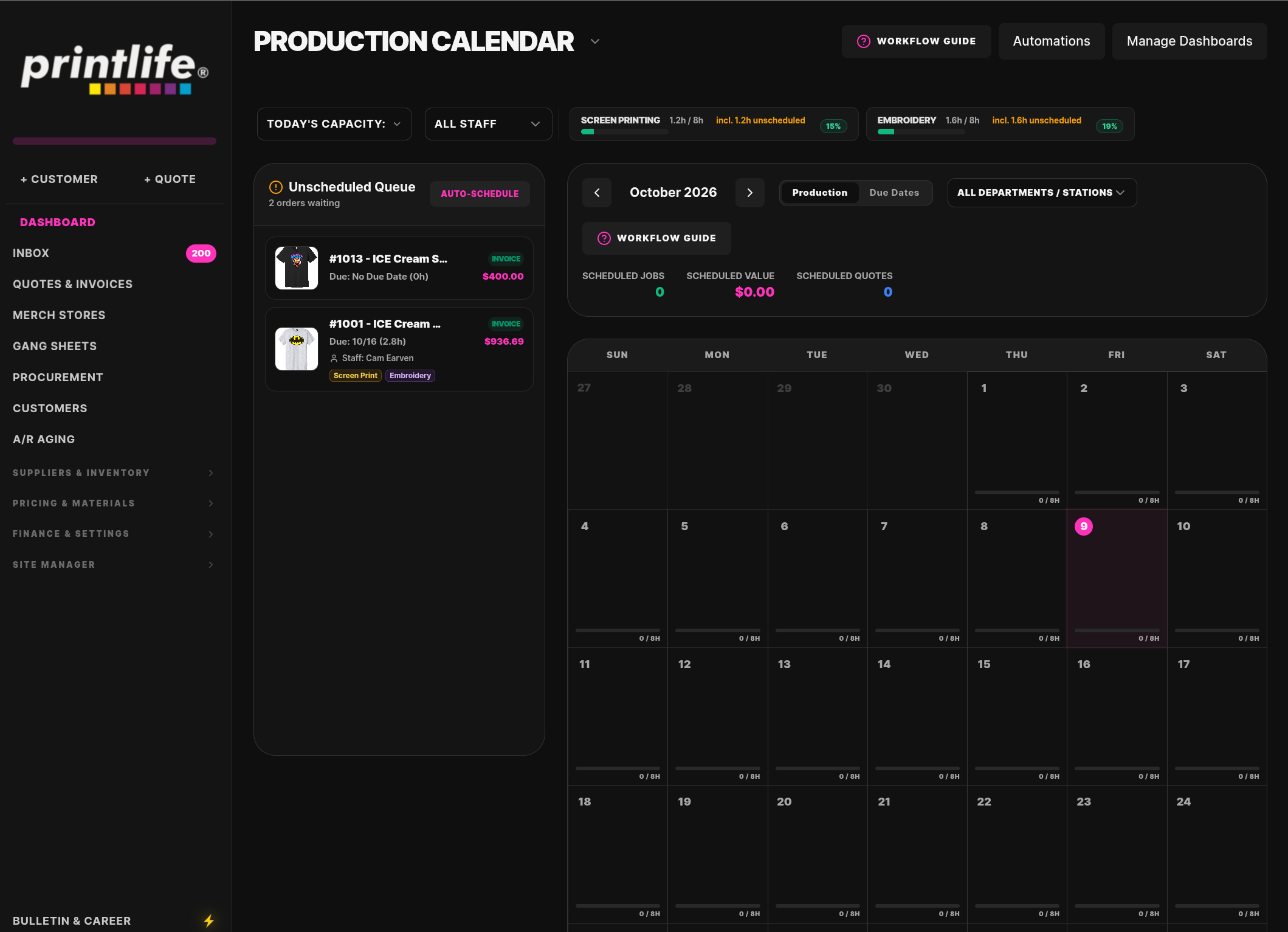
- No Calendar Required: Even if your team doesn't schedule jobs onto specific calendar days, our system automatically schedules open invoices against your earliest available capacity starting today.
🔍 Want Deeper Control? Granular Departments & Work Centers
If your shop runs multiple presses, embroidery heads, or specialized stations, you can take your tracking to the next level:
- Distinguish Your Equipment: Break your methods down into specific machines or departments—like Manual Press vs. Automatic Press 1, or Tajima 8-Head vs. Brother 4-Head.
- Individual Department Capacities: Assign custom daily operating hours to individual machines or lanes rather than just relying on shop-wide hours.
- Station Filtering & Auto-Assignment: Once granular departments are defined, your dashboard pills, staff filters, and job assignment tools will automatically align with those specific stations.
🛠️ Quick Step-by-Step Setup Guide
Ready to fine-tune your departments and capacities? Here is how to configure it:
- Set Your Shop Schedule:
- Go to Finance & Settings → Financials → Operating Costs → Work Schedule & Capacity.
- Confirm your shop's work days and default daily working hours.
- Name Your Decoration Departments (Optional):
- Head to Pricing & Materials → Matrices and open any matrix.
- Expand the Optional settings section and click into Decoration Department & Capacity.
- Fill in Decoration Department (e.g., Auto Press 1 or 8-Head Embroidery).
- Enter your Production Capacity (Hours per Day) for that specific station and click Save Price Matrix.
- Tag Staff to Departments:
- Go to Settings → Staff / Vendors → select a team member.
- Assign them to the specific Decoration Departments they operate so you can filter your dashboard and auto-assign jobs by workstation.
- Track & Schedule on Your Dashboard:
- Look at the top of your Dashboard to see live pills for Today, Tomorrow, This Week, or Next Week.
- Click any department pill to immediately filter your board and calendar to that department's active jobs!
- Notice an amber Unscheduled badge on an invoice? Click it anytime to jump straight into the production calendar and drop it onto a specific day or time slot.
💬 Questions or Need a Hand?
Our built-in Shop Copilot is completely up-to-date with this new workflow! Simply click the Copilot chat bubble and ask:
- "How does department capacity work?"
- "How do I split my automatic and manual screen printing capacity?"
- "Why is an invoice showing as unscheduled?"
We hope this gives you and your production crew the clarity and control you need to run at peak efficiency!