🚀 New Feature: Official QuickBooks Online Integration is Live!
We're excited to announce that QuickBooks Online is now fully integrated into Studio! You can now automatically sync your invoices, customers, and payments directly into QuickBooks without manual exports or double data entry.
🔌 How to Connect Your QuickBooks Account
- Open the left sidebar, expand Finance & Settings, and click QuickBooks (or go to Settings → Connections → QuickBooks Online).
- Click Connect QuickBooks and sign into your Intuit account to authorize your company file.
- Once connected, your company name, realm ID, and a live connection badge will appear.
📊 Dedicated QuickBooks Hub: Map Your Departments & Accounts
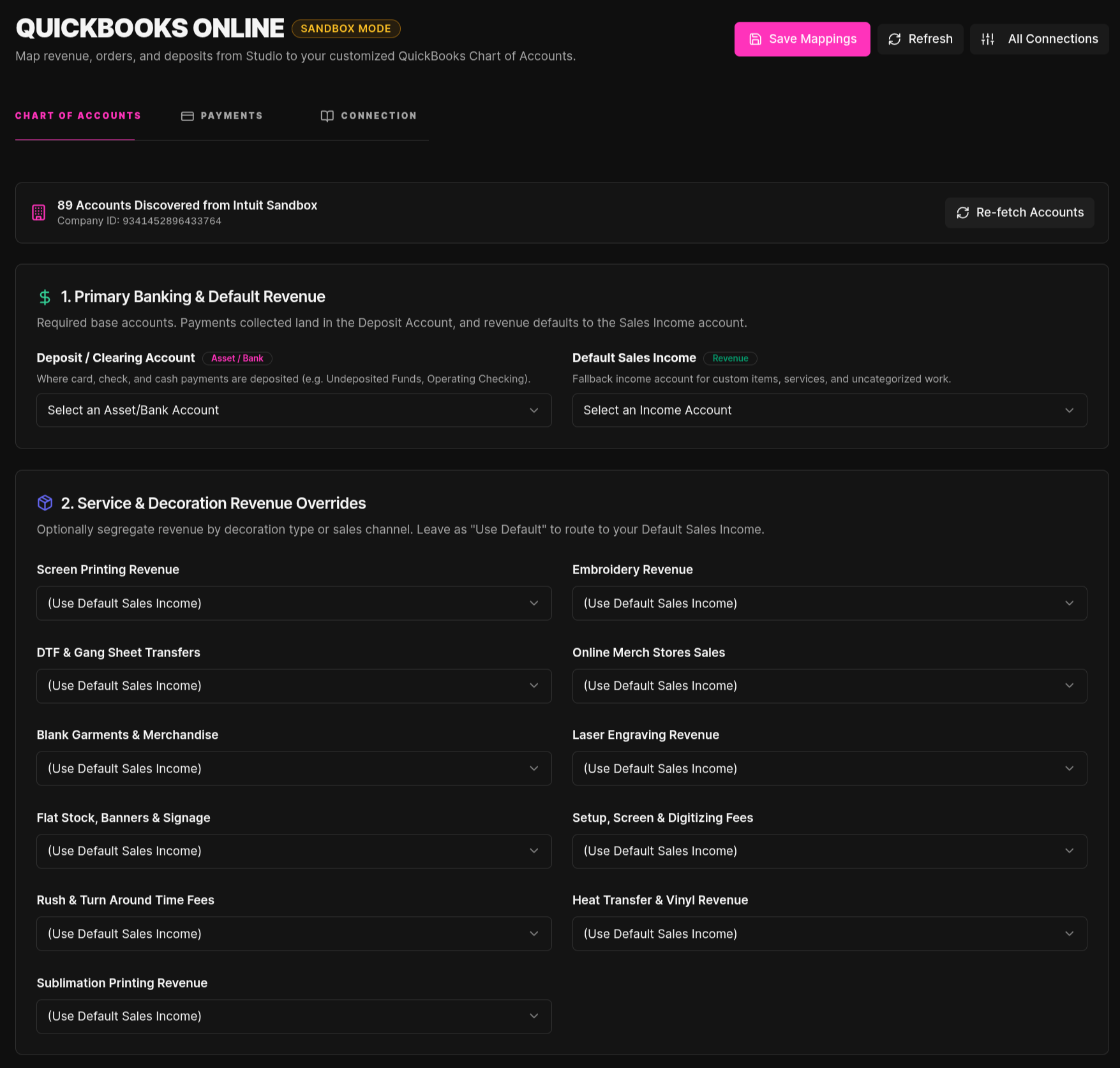
Once connected, head to the new QuickBooks page in your sidebar to customize exactly how your shop's revenue flows into your QuickBooks Chart of Accounts:
- Department Revenue Routing: Assign specific income accounts for Screen Printing, Embroidery, DTF & Transfers, Online Merch Stores, Blank Garments, Laser Engraving, and Signs/Banners.
- Taxes & Ancillary Fees: Map dedicated accounts for Shipping Income, Turnaround Rush Fees, and Credit Card Processing Fee Recovery (all automatically marked non-taxable so they never distort your sales tax totals).
- 1-Click Tax Rate Import: Go to the Tax Codes tab (or Settings → Sales Tax Rates) and click "Import from QuickBooks" to pull in your active tax codes and link them automatically.
💳 Prefer QuickBooks Payments over Stripe or Square?
If your shop already uses QuickBooks Payments for merchant processing and you want to use it instead of Stripe or Square:
- Navigate to the QuickBooks page in your sidebar.
- Click the Payments tab.
- Toggle on "Use QuickBooks Payments as Primary Processor" and click Save Payment Settings.
When enabled, customer checkout links, public quotes, and online store orders will automatically process through QuickBooks Payments and reconcile directly to your mapped deposit account!
Need help setting up your mappings or connecting your file? Feel free to ask the Shop Copilot in the chat anytime!